3ds Max - Transfer Vertex ID (Alpha)
Description
Transfers vertex IDs from one mesh to another, provided they share the same topology, something 3ds Max couldn't do natively before this. The meshes don't need to share form (world or local coordinates can differ completely) and they don't need matching UVs: you anchor the transfer by picking three corresponding vertices on each mesh.
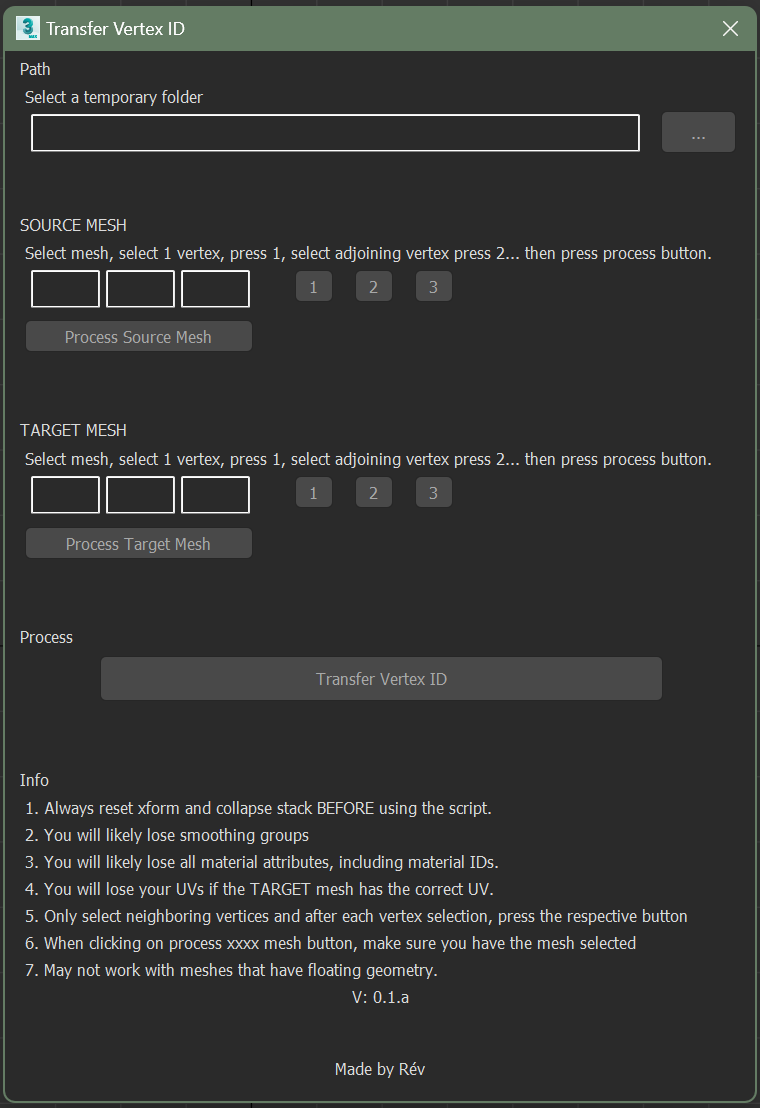
How it works
Install by dragging the .mzp into the Max viewport (it adds a RevScript menu),
or run the .ms from the script editor. Reset xform and collapse the stack on
both meshes, then on each mesh select three neighbouring vertices one at a time
(each must touch at least one other in the selection), registering them with
the numbered buttons, and process the mesh. Do source first, target second, in
corresponding order, then hit Transfer Vertex ID.
There's a video tutorial walking through the whole flow.
State of the tool
It's an alpha and my first MaxScript, so expect rough edges: the current recursive algorithm is slow on large meshes and hits a recursion limit past 10,000 vertices. Both are fixed in the next release, which moves to an iterative bit-array method over mapped faces. Also planned: a UV-based transfer option for floating geometry, and removing the temporary-folder requirement.