Documentation Image Helper
Description
A small utility for writing better step-by-step documentation: paste a screenshot from the clipboard, mark it up, and copy the result straight back to the clipboard, ready to paste into your doc.
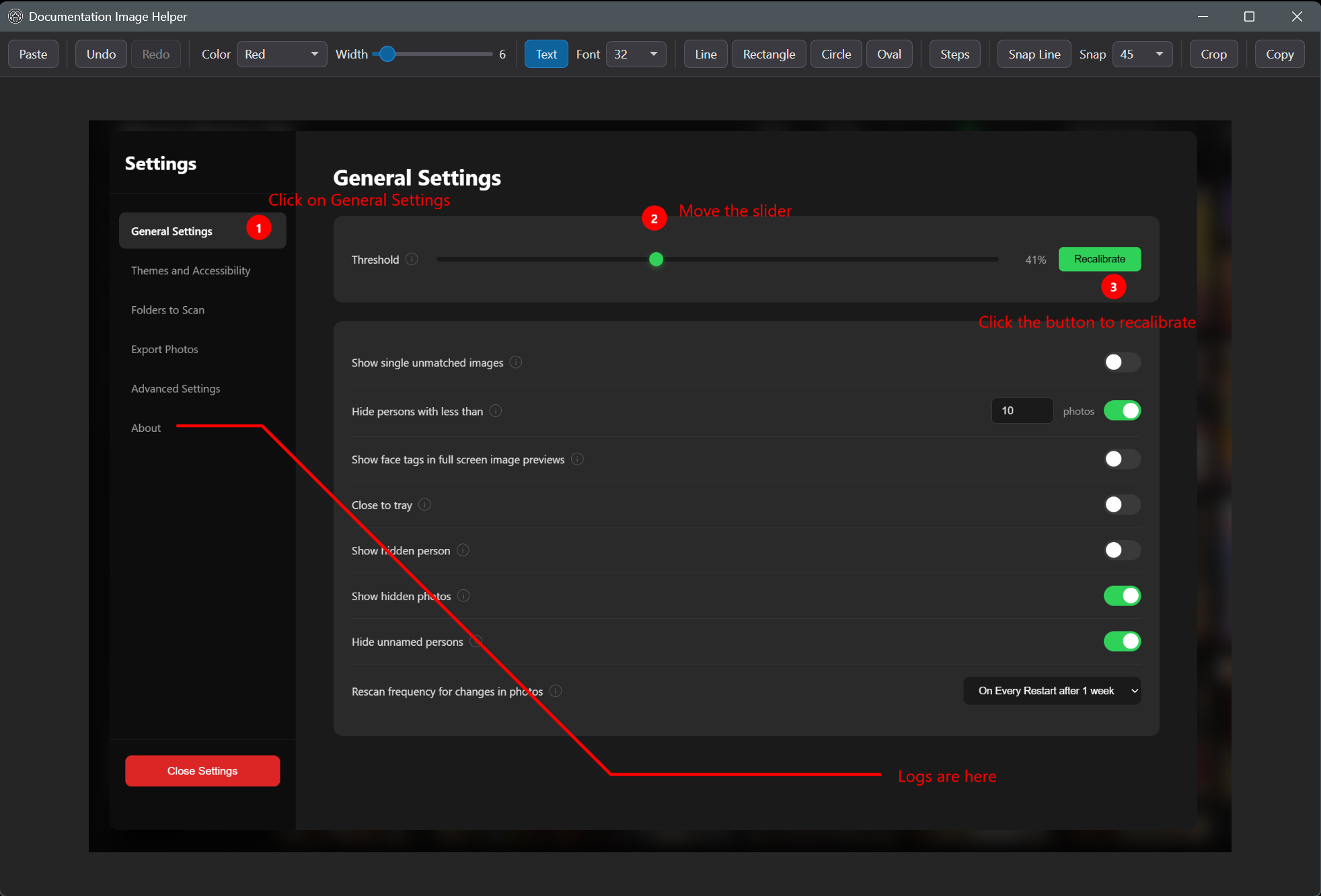
The toolkit
Freehand and shift-straight lines, rectangles, circles and ovals, text with a size dropdown, and crop. Two tools are built specifically for documentation work:
- Steps drops auto-numbered badges; hold
Shiftand click to place 1, 2, 3... (releasingShiftresets the count), so numbering a guide takes seconds. - Snap Line places point-to-point segments that snap to a chosen angle (10° to 90°), for tidy callout lines.
Colour and width controls apply to every tool, undo/redo is Ctrl+Z/Ctrl+Y,
zoom rides the scroll wheel, and panning is middle-mouse drag. Ctrl+V to
paste in, Ctrl+C to copy the edited image out.
Source-available (non-redistributable license).