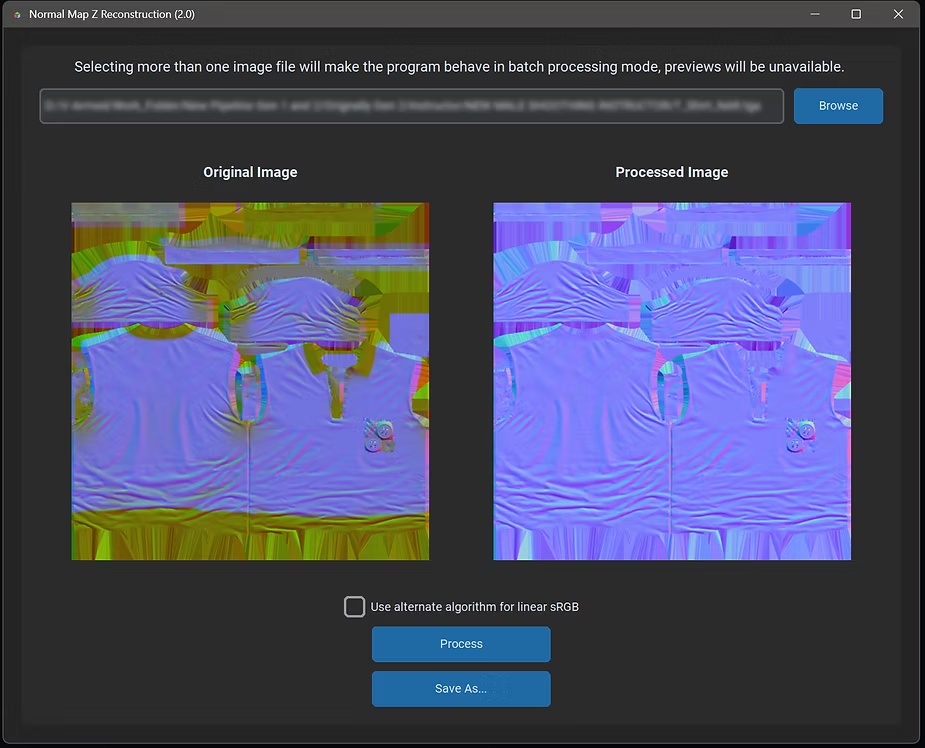
Normal Map Z Reconstruction: Effortless Blue Channel Recovery
A Windows app that reconstructs the blue (Z) channel of a normal map from its red and green channels, with batch processing and a linear/sRGB-aware path for textures like Texturing.xyz vFace maps.
Working with normal maps in DCC tools and game engines often involves some quirks. One common issue: game engines frequently ignore the blue (Z) channel of normal maps, reconstructing it dynamically at runtime to save memory. While this works seamlessly in the engine, exporting the same texture for use in a DCC program can cause problems, especially if the blue channel was packed with other data.
That's where Normal Map Z Reconstruction v2.0 comes in. This simple Windows application is designed to help artists and developers reconstruct the blue channel of normal maps when only the red (X) and green (Y) channels are available.
Why do you need Z reconstruction?
When normal maps are created, many workflows, especially in game development, sacrifice the blue channel to save memory. Artists might repurpose the channel to store unrelated data like roughness or specular. This is efficient for the engine but creates issues when exporting the normal map to Blender, Maya, or Photoshop. Without a correct Z channel, lighting or surface details in the texture can appear inaccurate.
Normal Map Z Reconstruction v2.0 solves this by recalculating the Z channel from the available X (red) and Y (green) channels, producing a fully functional normal map compatible with any DCC tool or engine.
What's new in version 2.0?
-
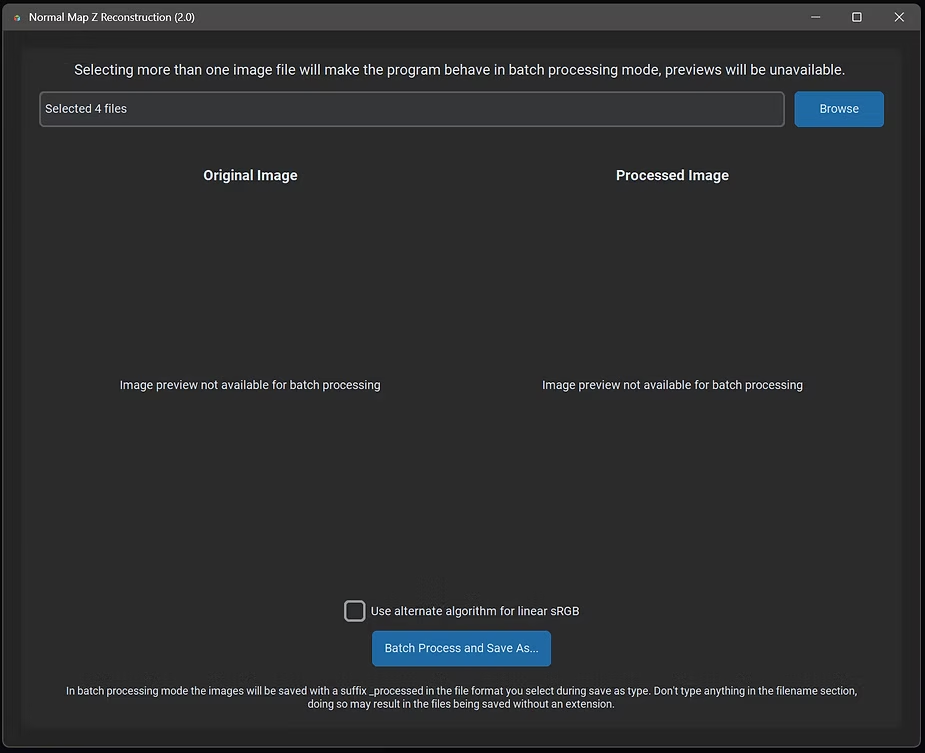
Batch processing mode
- Process multiple normal maps at once. Whether you're fixing a single map or an entire library, batch mode saves time.
-
Support for linear/sRGB images
- An alternate reconstruction algorithm tailored for linear/sRGB images, such as those from high-quality texture libraries like Texturing.xyz's vFace maps. This ensures greater accuracy and compatibility with advanced materials.
Key features
- Easy reconstruction: Derive the blue channel from existing red and green channels with a single click.
- Batch processing: Process entire directories of normal maps to save time.
- Flexible input/output: Load and save textures in widely supported formats.
- Alternate algorithm: Handle both traditional and linear/sRGB images for maximum accuracy.
- It's free.